
Advanced Comments Assistant For Excel

If you ever want to remove comments or replace them or even show and hide them in huge Excel Sheets and much more, then this is for you. Dose for Excel‘s Comments utility can implement this with one click on huge number of cells and sheets.
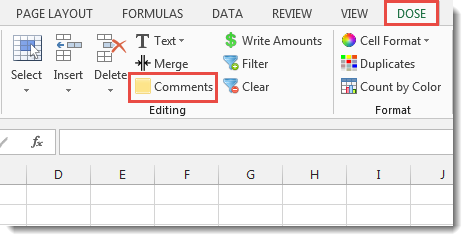
Click DOSE » Comments

Usage:
- Select a range of cells.
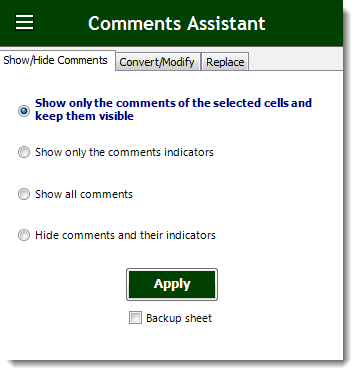
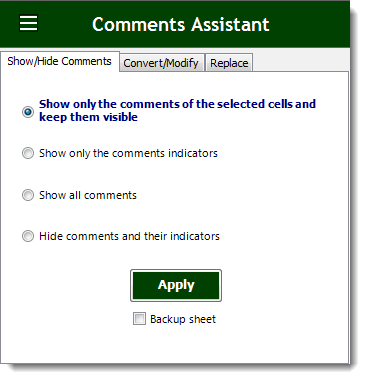
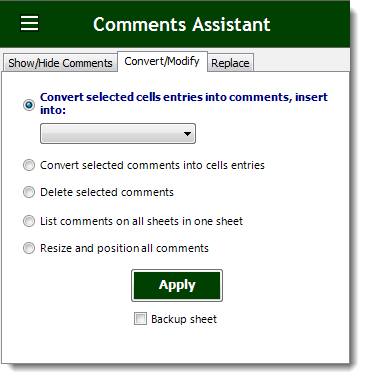
- Check the option you need in Comments Assistant:
a. Toggle show or hide comments with a single click.
b. Convert comments to cells text.
c. Convert cells text to comments.
d. Easily delete comments in a range of cells.
e. Resize and position comments of selected cells.
f. Collect comments on all sheets and list them in one sheet column.
g. Replace comment’s old value with new one. - Then click Apply. You will see the result as shown in the below screenshot.
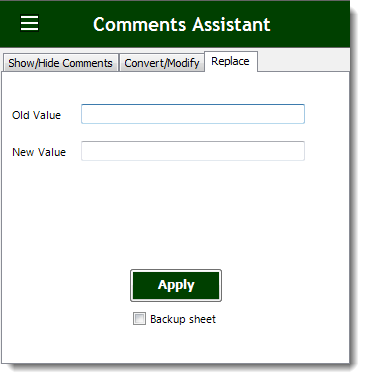
Demo
More Features:
Excel Count Chars
Count Chars In Excel Count chars in a cell or in a selected range of…
Excel Reading Layout View
Highlight the Active Row & Column in Excel with One Click Reading a wide spreadsheet…
Excel Insert Empty
Insert Empty Rows Or Columns At Certain Interval In Excel If you ever want to…
Excel Work Area View
Excel Work Area If you have many data in Excel sheet cells, and want to…
Excel Random Generator
Generate Random Data (Numbers, Date, String, etc…) Sometimes you want to generate some random data…
Excel Extend Selection To Last Used Row
Easily Extend Selection To The Last Used Row Normally if you want to select a…