
Color Duplicated Cells Values In Groups In Excel
Color the duplicated cells values, each group of same values will be colored with same color. Dose for Excel‘s Duplicates utility can easily coloring same cells values in your Excel sheet.
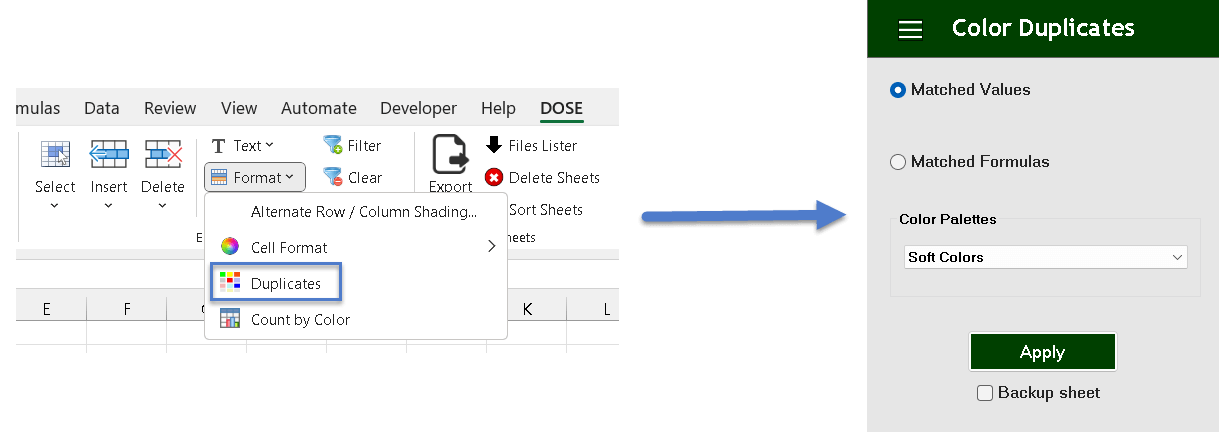
Click DOSE » Format » Duplicates
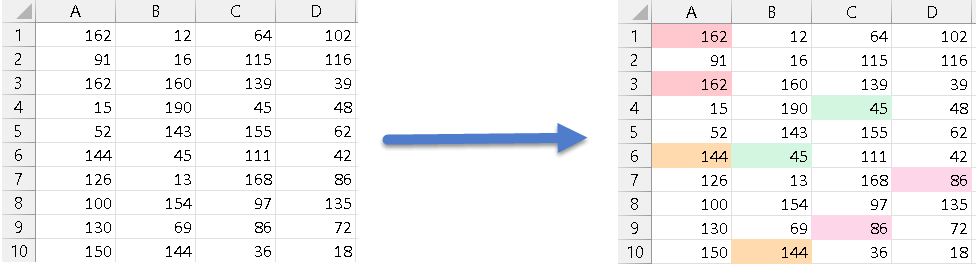
Color matched values
- Click on DOSE » Sort » Duplicates and a duplicates pane will open.
- Check Matched Values option to color the each set of matched values in its own color.
- And then click Apply. See below screenshots.
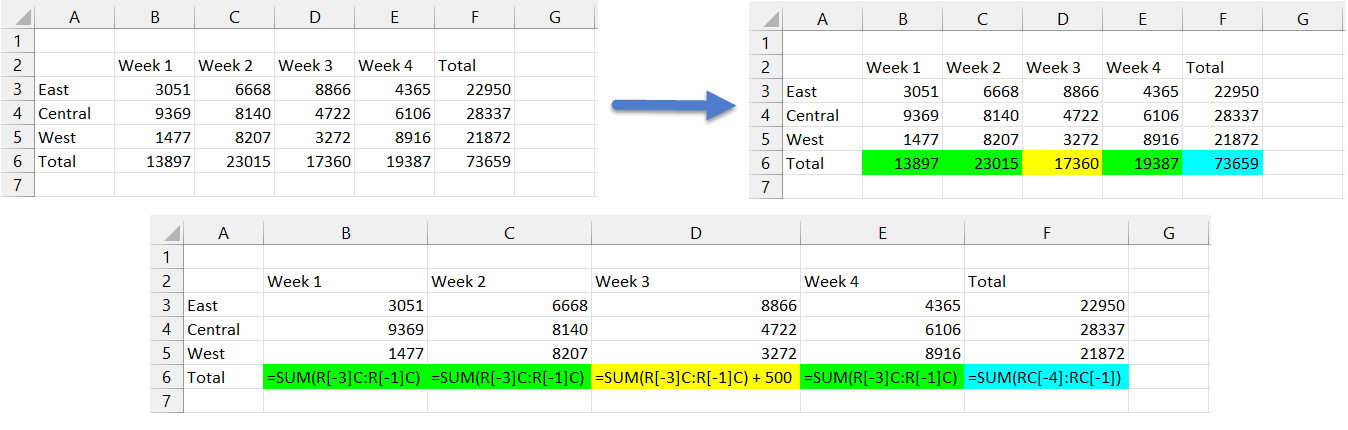
Color matched formulas
- Click on DOSE » Sort » Duplicates and a duplicates pane will open.
- Check Matched Formulas option to color the each set of matched FormulaR1C1 in its own color.
- And then click Apply. See below screenshots.
More Features:
Dose For Excel Settings
Edit Settings of Dose for Excel Using Dose for Excel settings, you can configure what…
Excel Select Merged Cells
Quickly Select Merged Cells It seems a little difficult to select only merged cells in…
Excel Insert Empty
Insert Empty Rows Or Columns At Certain Interval In Excel If you ever want to…
Excel Insert Title Rows
Insert Title Rows In Your Excel Range Sometime you may need to add a title…
Excel Count Chars
Count Chars In Excel Count chars in a cell or in a selected range of…
Excel Remove By Position
Remove characters by position from text in Excel If you ever want to remove a…