
Delete Illustrations and Objects In Excel Sheets
If you ever had many sheets including a lot of objects such like pictures, charts, lines, etc. and want to delete specific object type then it will take long time and effort doing it manually. Dose for Excel‘s Delete Illustrations and Objects utility can easily delete these objects for you from any specific sheet you want.
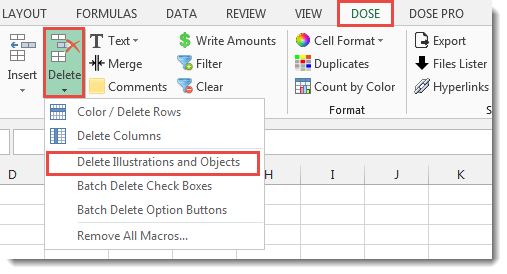
Click DOSE » Delete » Delete Illustrations and Objects

Usage:
- Click on DOSE » Delete » Delete Illustrations and Objects
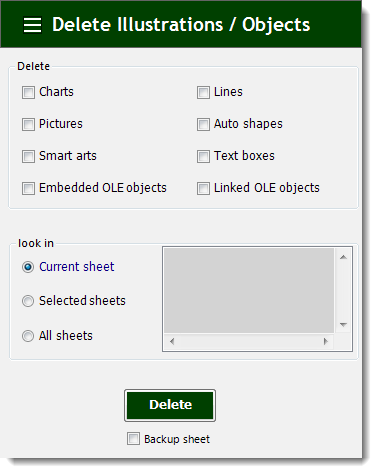
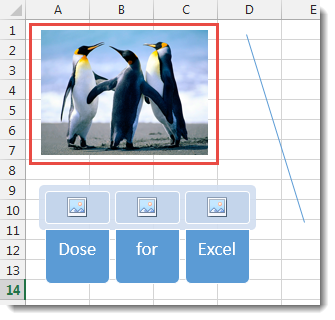
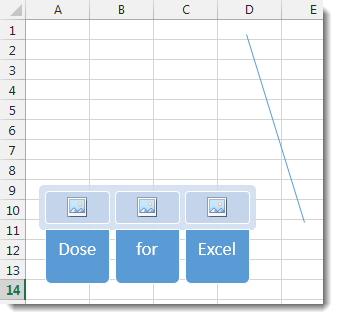
- In below example, if you want to delete pictures then just check Pictures check box and check Current sheet option button.
- Then click on Delete. See screenshots.
More Features:
How To Sum And Count Cells By Color In Excel
Sum and count and average cells by color in Excel To make the data stand…
Excel Random Generator
Generate Random Data (Numbers, Date, String, etc…) Sometimes you want to generate some random data…
Excel Extract Text
Extract Text Before Or After Or Between Certain Characters In Excel Cells You can add…
Excel Compare Sheets – Advanced Excel Sheet Comparison Tool
Why Compare Excel Sheets? When working with finance reports, inventory audits, or versioned data sets,…
Excel Delete Blank Sheets
Delete All Empty Worksheets Excel Delete all blank or empty sheets in Excel one time…
Excel Batch Insert Option Buttons
Batch Insert Option Buttons In Excel Insert a batch of option buttons into selected cells…