
Select Specific Cells In Excel Sheet
If you ever want to select some specific cells in your worksheet, for example, select those cells equal to “90” or cells begins with “Hi” or many other criteria then that could take long time doing it manually or using VBA code. Dose for Excel‘s Select Specific Cells utility can quickly do the task with one click.
- Select specific cells based on criteria or value
- Select specific cells containing certain text or value
Click DOSE » Select » Select Specific Cells
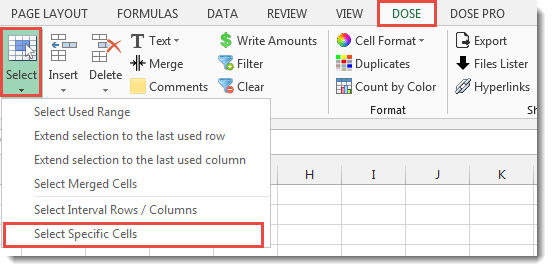

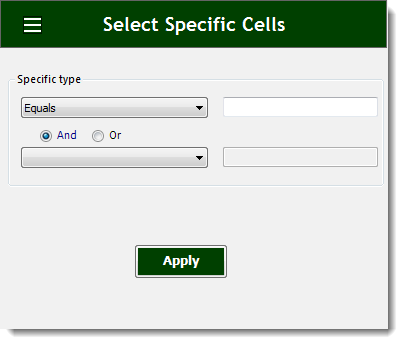
Select specific cells based on criteria or value:
If you have a huge Excel sheet and now you want to select some specific cells based on a certain value, For example, if you want to select cells that their values are greater than 90 and less than 100, then this utility will accomplish exactly what you want.
- Select a range of cells.
- And then apply this function by clicking on DOSE » Select » Select Specific Cells.
- Then click on Apply. See screenshots.
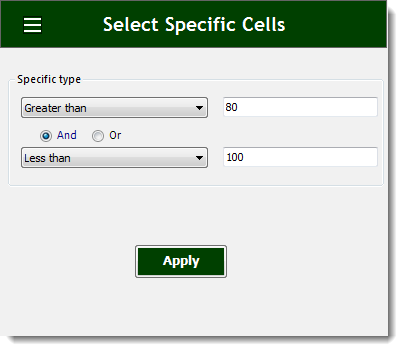
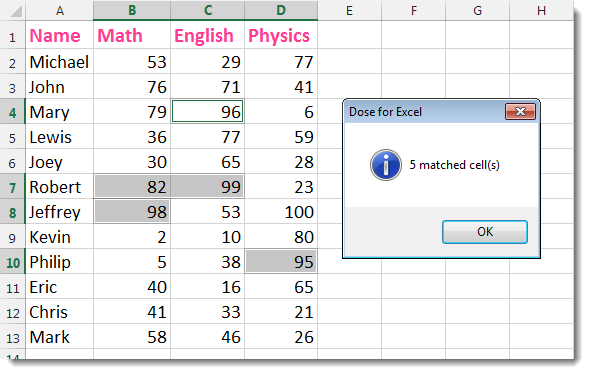
Select specific cells containing certain text or value:
- Select a range of cells.
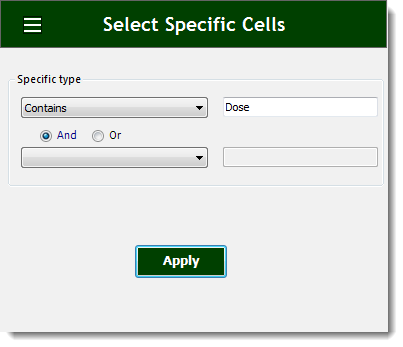
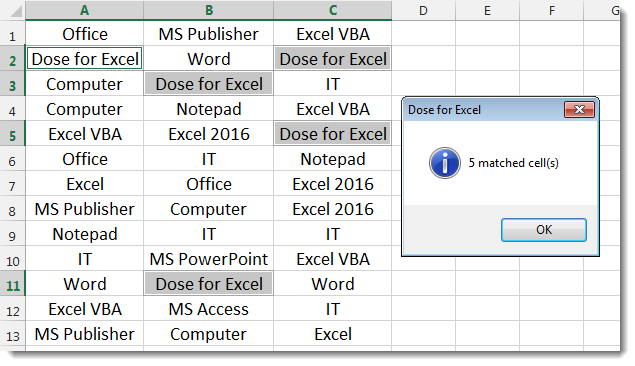
- And then apply this function by clicking on DOSE » Select » Select Interval Rows / Columns. In the below example, we want to select cells that contains the word “Dose”.
- Then click on Apply. See screenshots.
More Features:
Excel Batch Delete Check Boxes
Excel Batch Delete Check Boxes In Excel Batch deleting check boxes in selected cells without…
Excel Sort Sheets
Sort Sheets by alphanumeric or date In Excel Sort your sheets in your current workbook…
Dose For Excel Settings
Edit Settings of Dose for Excel Using Dose for Excel settings, you can configure what…
Excel Delete Illustrations And Objects
Delete Illustrations and Objects In Excel Sheets If you ever had many sheets including a…
Excel Cells Color Assistant
Advanced Cells Formatting And Coloring In Excel Build your format and color templates by yourself,…
Excel Extend Selection To The Last Used Column
Easily Extend Selection To The Last Used Column Normally if you want to select a…